
22 min read
Layers and Layer Groups
Stack, name, order, hide, lock and group layers; use opacity; and keep a poster file organised.
What Are Layers?
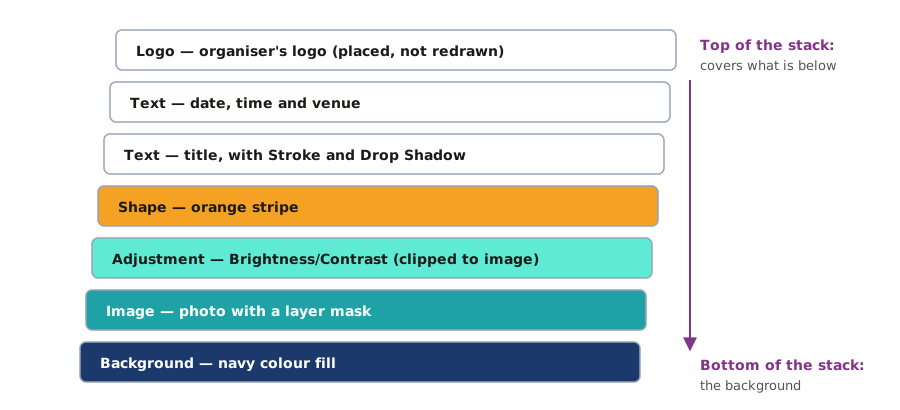
Working in the Layers Panel
| Layer actions | |
|---|---|
Layer Groups
A poster can quickly have 30 or more layers. Groups are folders for layers.
- Select related layers (for example all the text layers).
- Press Ctrl + G (or Layer → Group Layers).
- Double-click the group name and call it Text.
Groups can be hidden, moved and locked together. A clear structure might be: Logo · Text · Graphics · Photo · Background.
Opacity and Blend Modes
Opacity makes a whole layer see-through (100% solid, 0% invisible). Fill affects only the layer's pixels, not its effects. Blend modes (the drop-down that says Normal) change how a layer mixes with the ones below — for example Multiply darkens, Screen lightens and Overlay adds contrast. Try them on a texture or a colour layer over a photo.
Practice
More lessons in Adobe Photoshop · Next: Selection Tools · Previous: Opening, Placing and Importing Images