
12 min read
Introduction
What Photoshop is, how to get it (or the free Photopea), and the poster you will build step by step.
What Is Photoshop?
Adobe Photoshop is the industry-standard program for editing photos and creating raster designs — posters, social media graphics, flyers and photo composites. It is available through an Adobe Creative Cloud subscription (Adobe offers student discounts), on Windows and macOS.
No Photoshop at Home? Use Photopea
Photopea (photopea.com) is a free image editor that runs in a web browser. Its menus, tools, layers and shortcuts are very similar to Photoshop's, and it opens and saves PSD files. It is a good way to practise at home. It shows adverts on the free version, and files you open stay on your computer.
Where a step is different in Photopea, the lessons say so.
Photoshop and Photopea
| Adobe Photoshop | Photopea |
|---|---|
| Installed desktop app; paid subscription | Runs in a browser; free with adverts |
| Every professional feature, including AI tools such as Generative Fill | Most everyday features: layers, masks, selections, type, layer styles, adjustments |
| Required by many colleges and employers | Great for practice and for learners without a Photoshop licence |
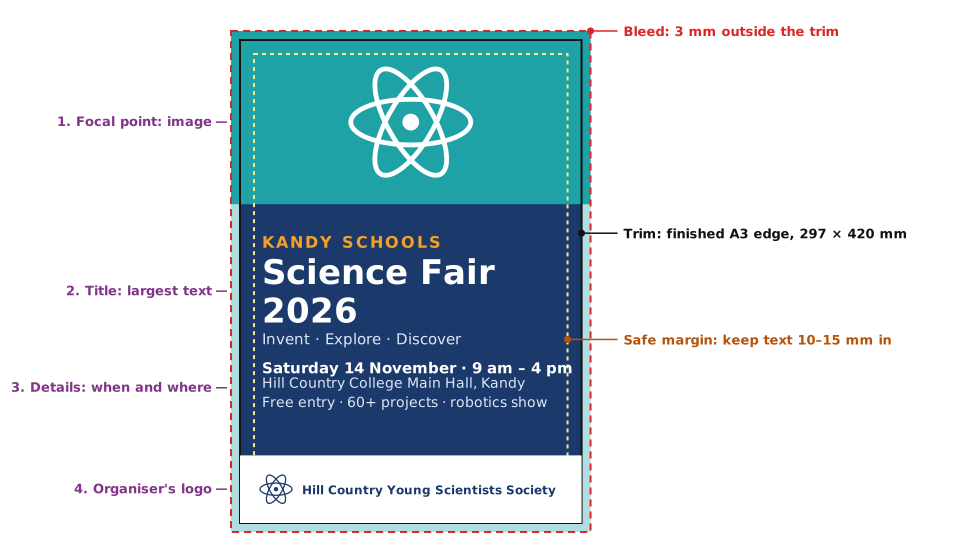
What You Will Build
Practice
More lessons in Adobe Photoshop · Next: The Workspace