
18 min read
The Workspace
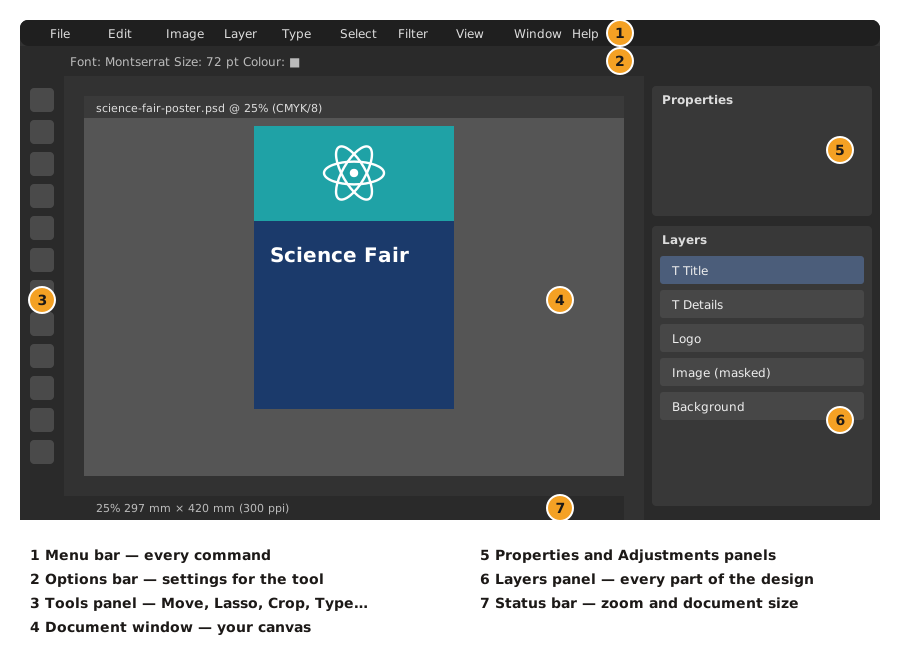
The menu bar, options bar, tools panel, document window and panels — plus zoom, undo and resetting the workspace.
The Main Areas
Tools You Will Use
| Key tools and shortcuts | ||
|---|---|---|
Panels
Panels are opened from the Window menu. The ones you need most are Layers, Properties, Adjustments, Character, Paragraph and History. If panels go missing or the screen gets messy, choose Window → Workspace → Reset Essentials.
More lessons in Adobe Photoshop · Next: New Document Settings · Previous: Introduction