
18 min read
Raster and Vector Graphics
Pixels versus mathematical shapes — when each is best, and why logos should be vectors.
Two Kinds of Image
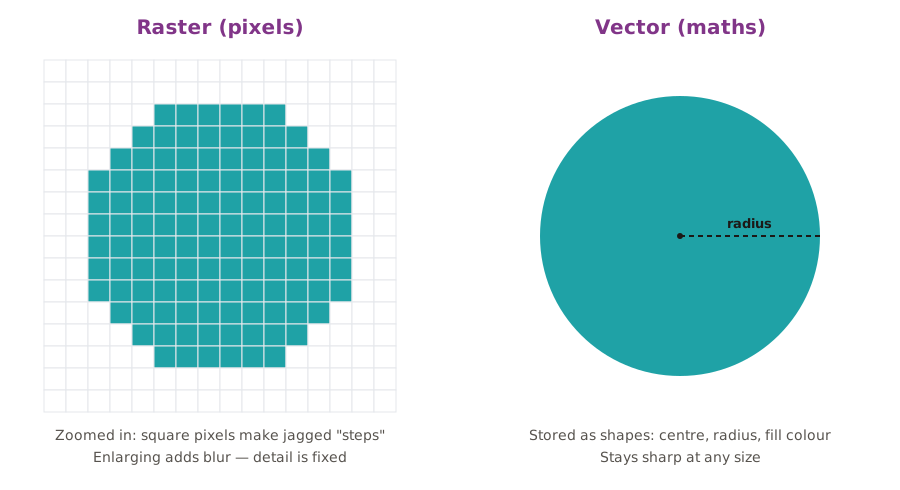
Raster vs vector
| Raster (bitmap) | Vector |
|---|---|
| A grid of coloured pixels | Shapes described by maths: points, lines, curves and fills |
| Great for photos and detailed, painted images | Great for logos, icons, illustrations, text and diagrams |
| Loses quality when enlarged | Stays sharp at any size — from a badge to a billboard |
| File size grows with pixel dimensions | Usually small files |
| Edited in Photoshop, GIMP, Photopea | Edited in Illustrator, Inkscape, Figma, Canva (partly) |
| Formats: JPG, PNG, GIF, WebP, TIFF, PSD | Formats: SVG, AI, EPS, PDF (can also hold rasters) |
Photoshop Is Mostly Raster
Photoshop is a raster editor, but it also has vector features: type layers, shape layers and Smart Objects stay sharp when resized, as long as they are not rasterised (turned into pixels). This is why Tharushi keeps her text as live type and places the organiser's logo as a Smart Object.
Practice
Select the files that are vector formats.
Choose all that apply.
More lessons in Digital Image Fundamentals · Next: Image File Formats · Previous: Bit Depth